Scheduler++ · Shop management for stone fabricators
Born on the shop floor.
Countertop fabrication software that runs quoting, scheduling, inventory, CRM and production tracking in one system — designed by people who’ve run a stone shop, for the way a stone shop actually works.
Countertop fabrication software, made in a real shop
Scheduler++ wasn’t dreamed up in a design studio. It was built inside a working granite shop — by people who’ve quoted jobs, run the machines, and watched what actually slows a shop down.
It started as a fix for the colour-coded calendar the foreman used to track every job. That glanceable view is still the heart of the product, and every feature since has had to pass the same test: does it help the people on the floor, or does it just look good in a demo?
Quoting
Quote the way you fabricate
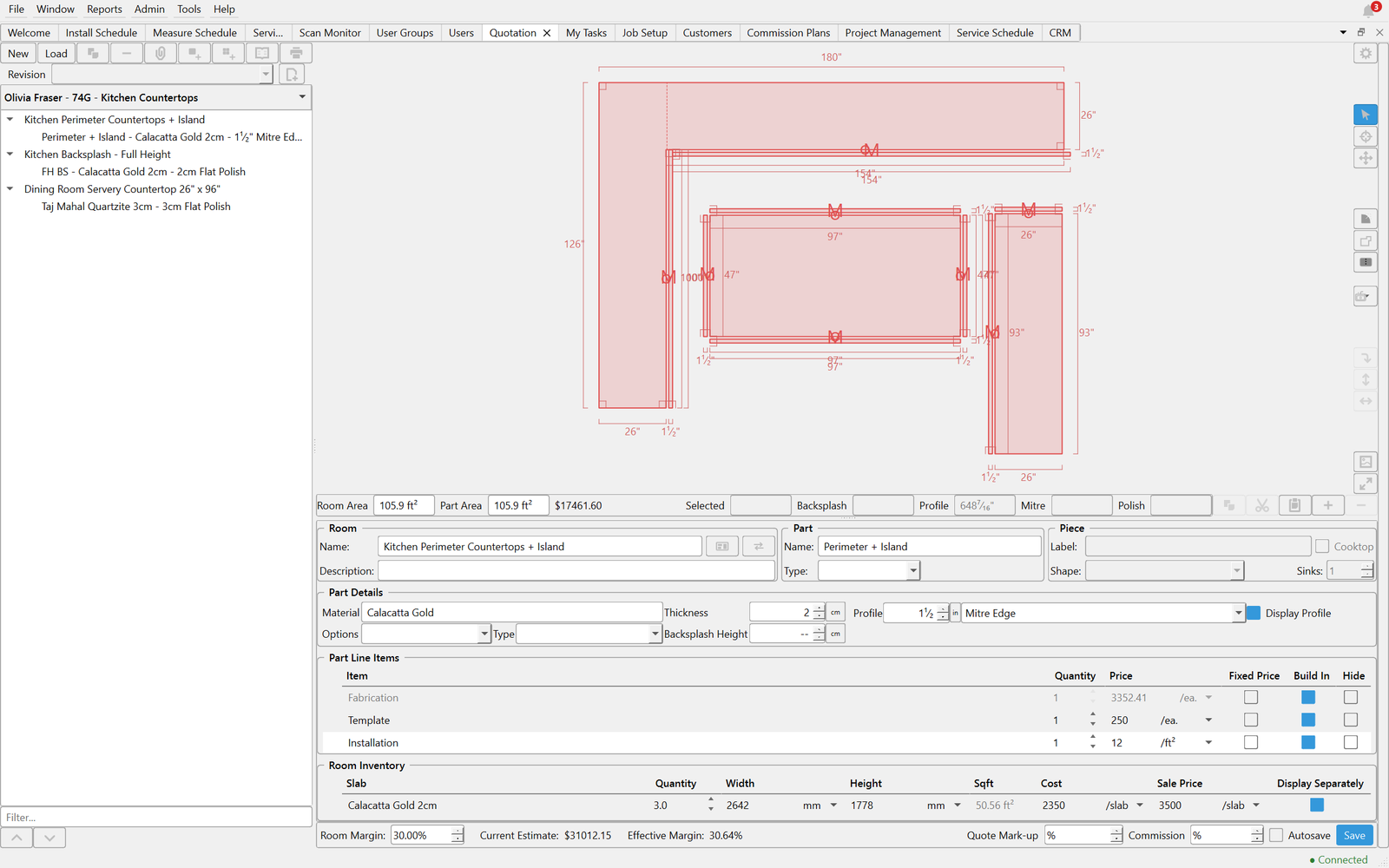
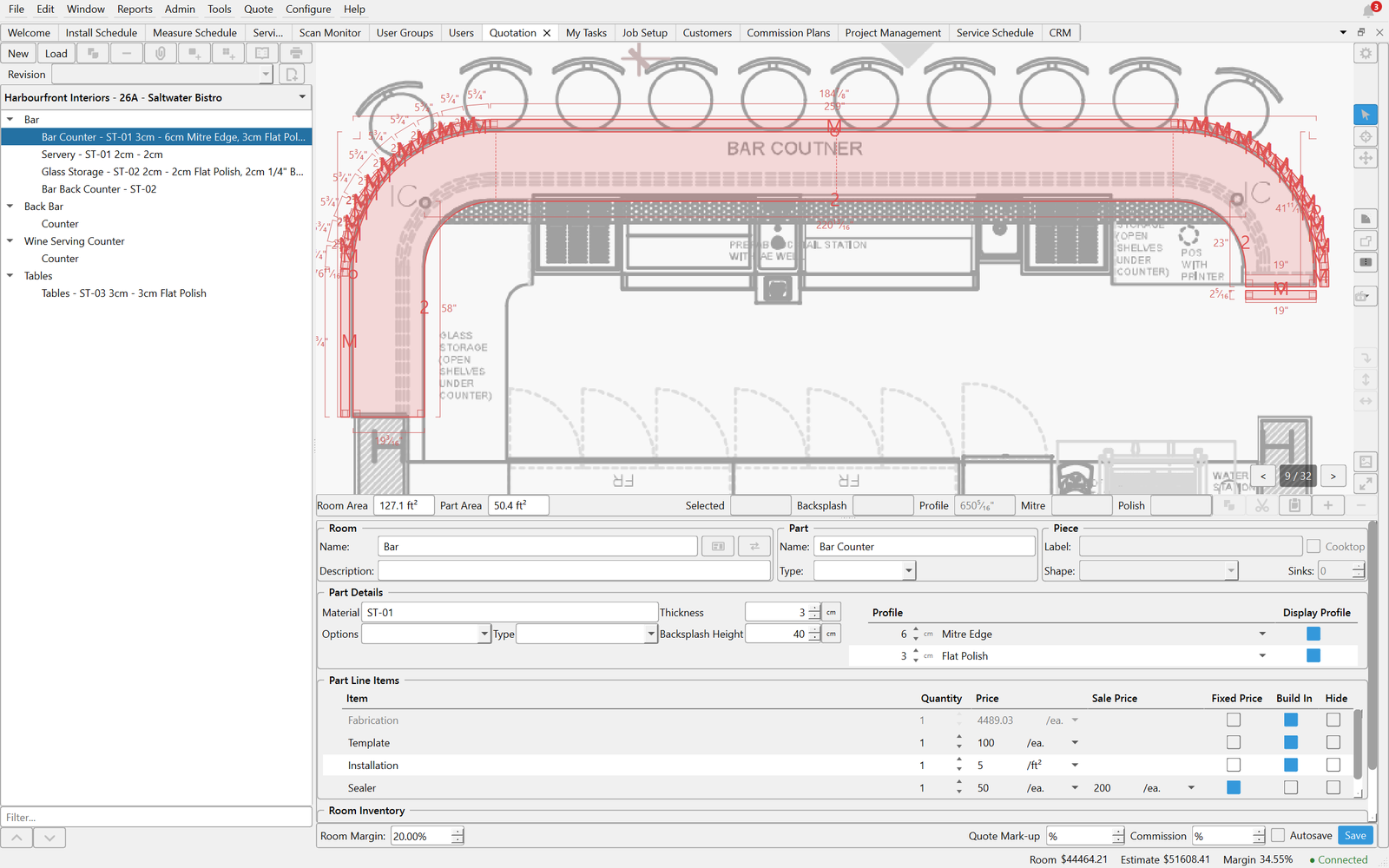
Draw every job, or trace it straight over the architect’s PDF. Every price is built up from what the job actually costs you — material, fabrication and labour — with the margin you choose on top.
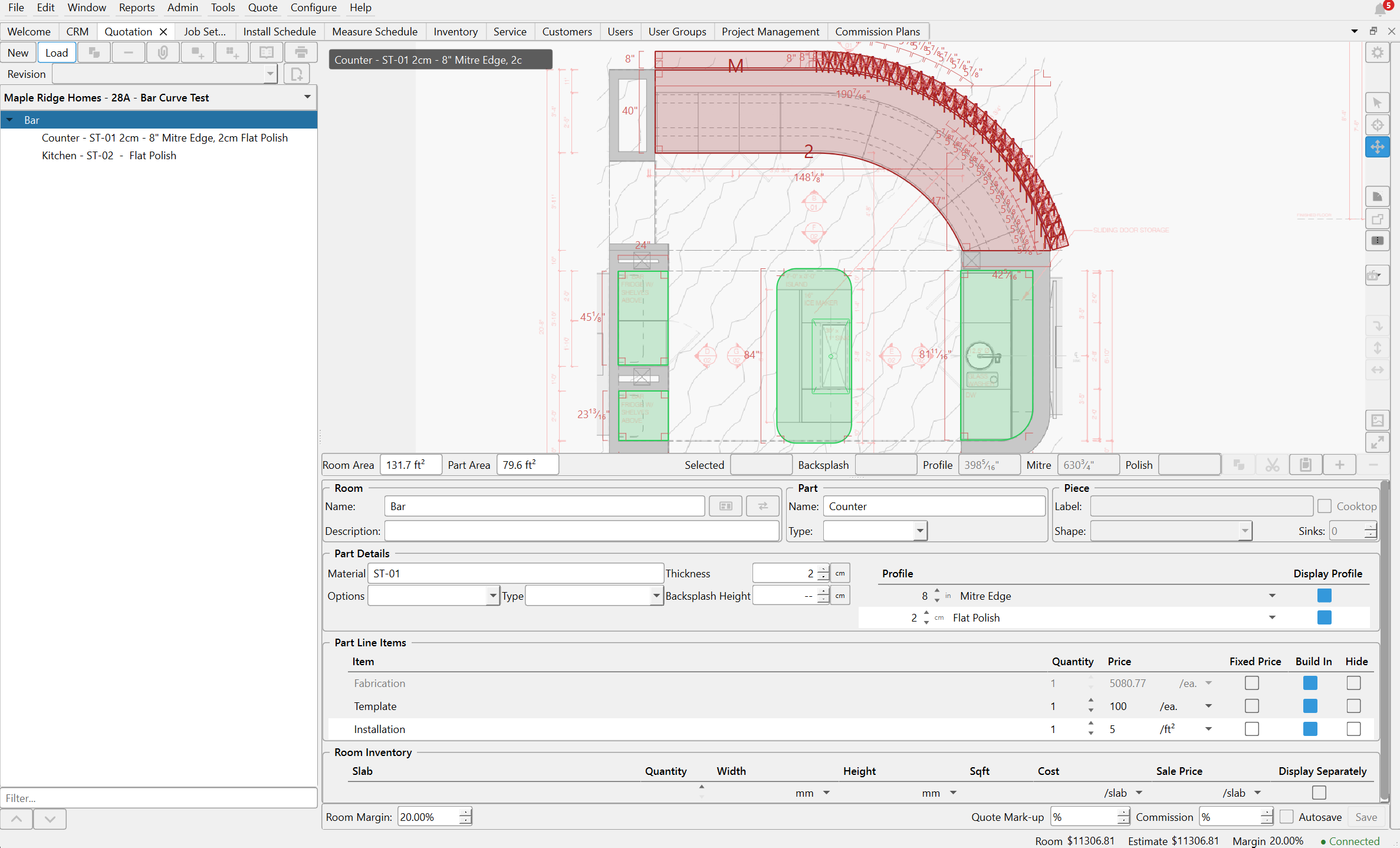
Trace pieces over imported PDF drawings
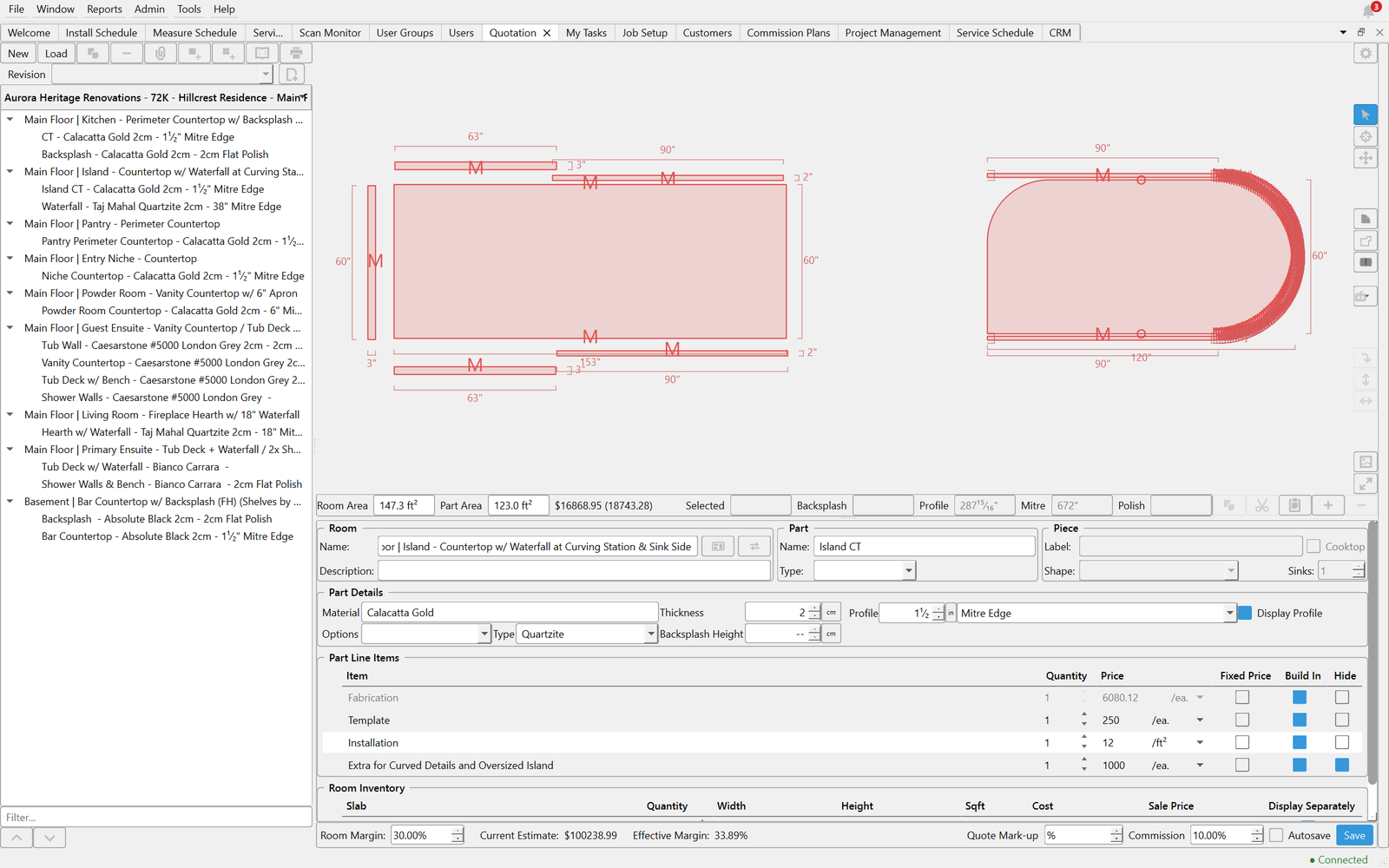
Backsplashes and aprons generated for you — even on curves
Prices built from your real costs, with per-customer margins
Pieces nested onto slabs automatically to estimate material
Multiple price lists, revisions and quote locking
Turn a won quote into a workorder in one step
Curves without the math
Curved pieces, arcs and aprons — drawn and costed.
Priced from your real costs
Material, fabrication and labour add up to the cost; your margin sets the price. Update a cost once and every new quote follows.
Trace over the drawings
Import the PDF set and draw pieces right on the linework.
Scheduling
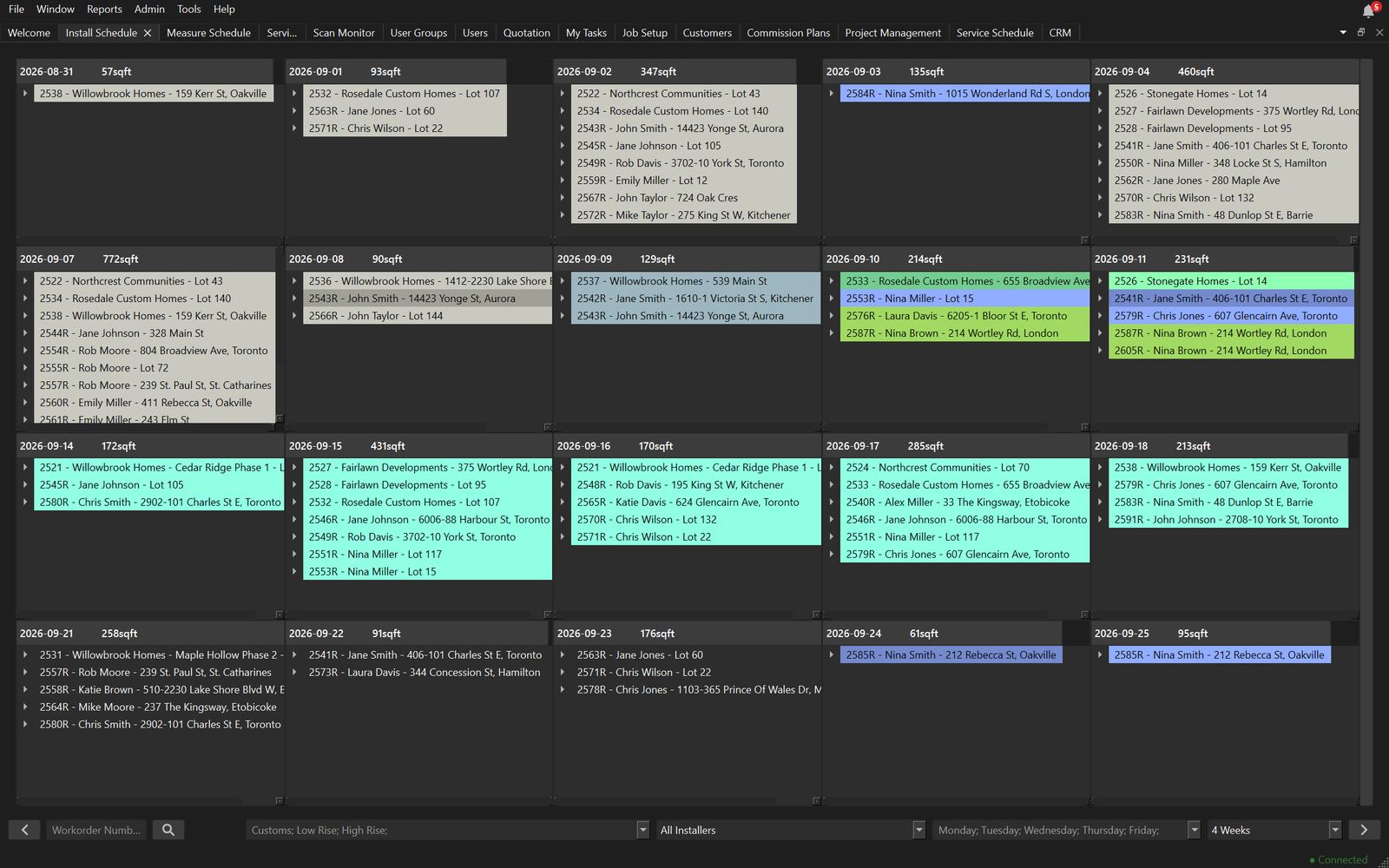
See the whole shop at a glance
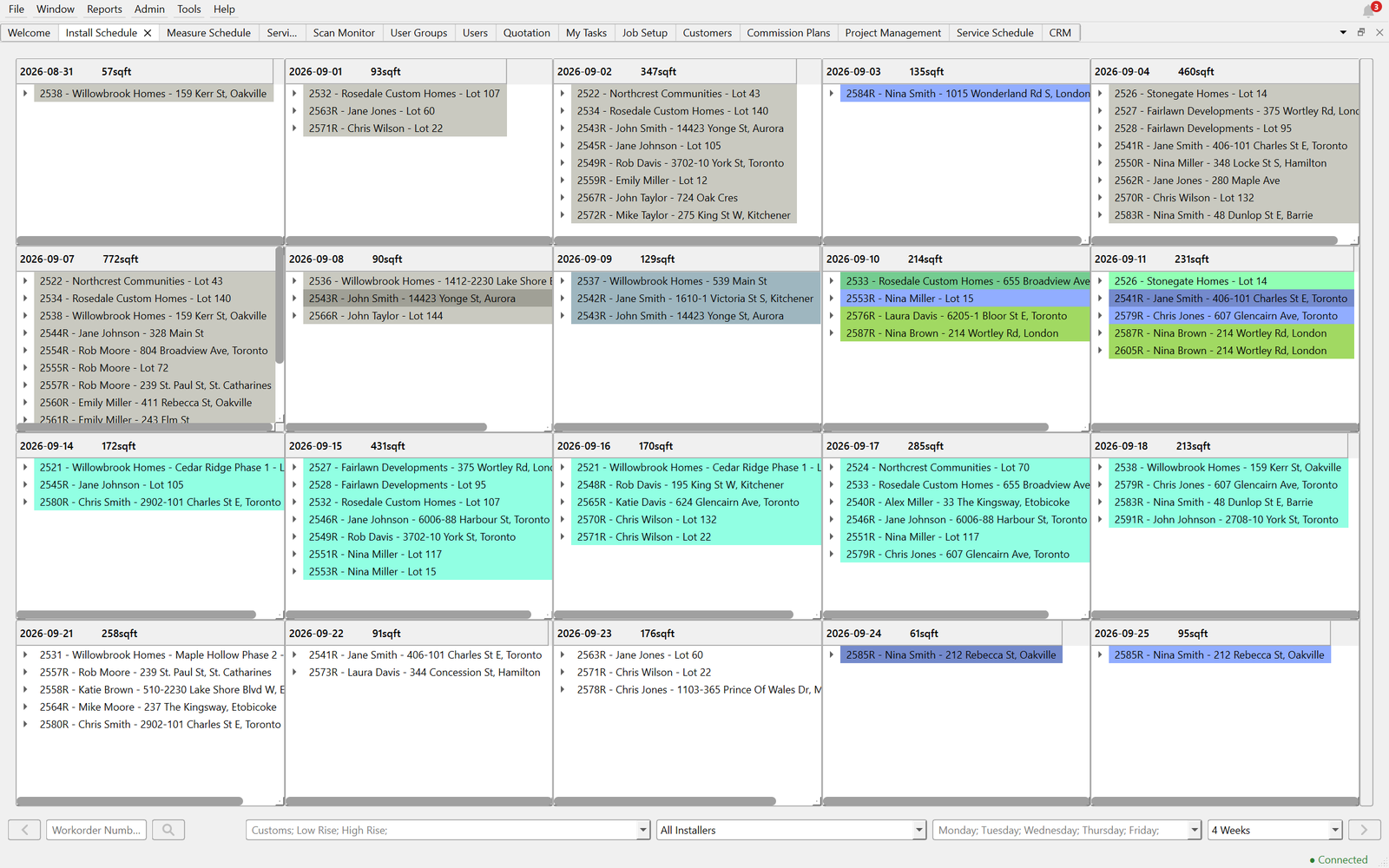
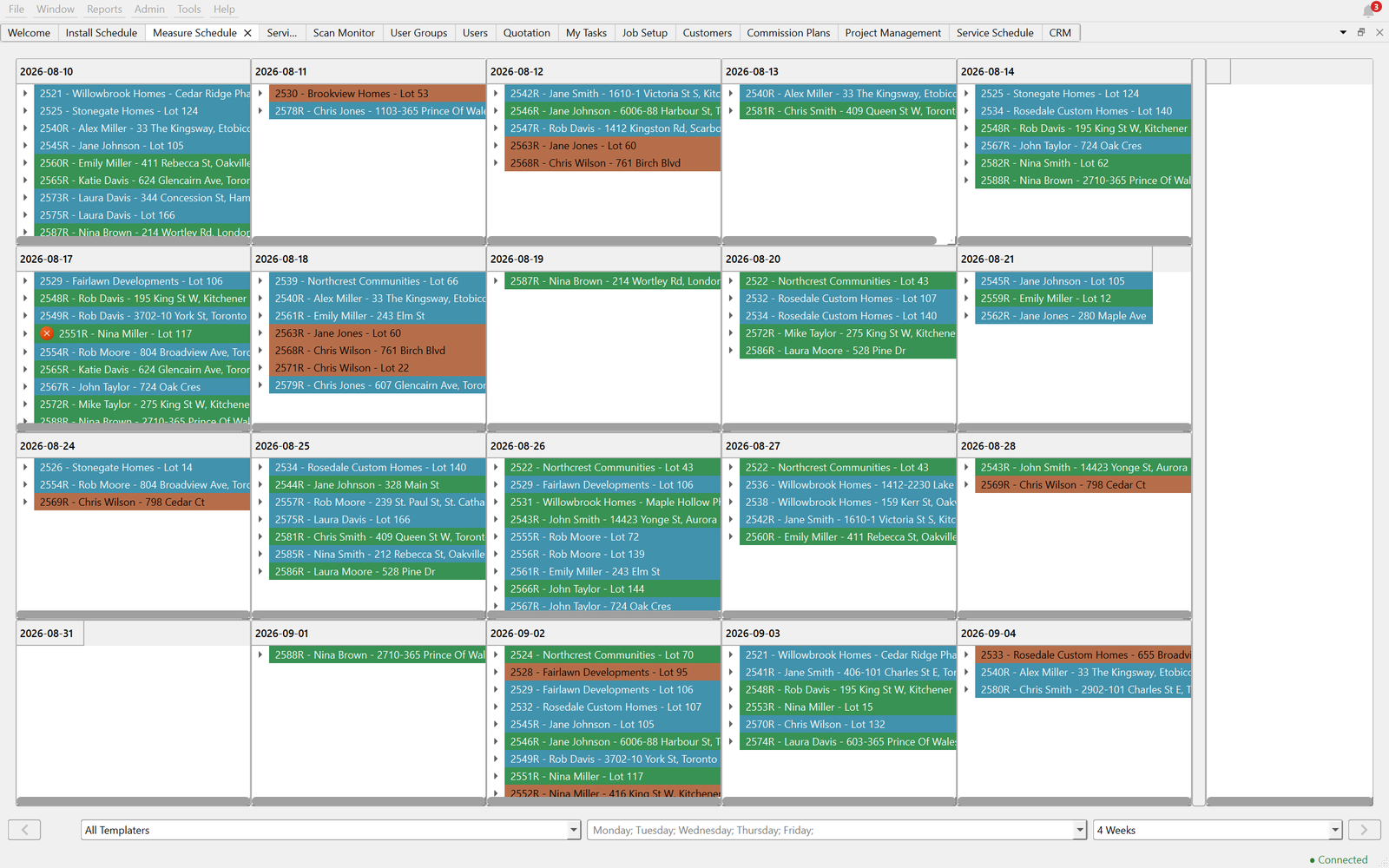
Colour-coded calendars for measuring, installs and service. One look tells you where every job stands, what’s missing material, and how many square feet are going out each day.
Separate measure, install and service schedules
Status colours you can read from across the room
Square footage per day, at a glance
Drag a job — or part of one — to another day
CRM
Every customer, contact and deal in one place
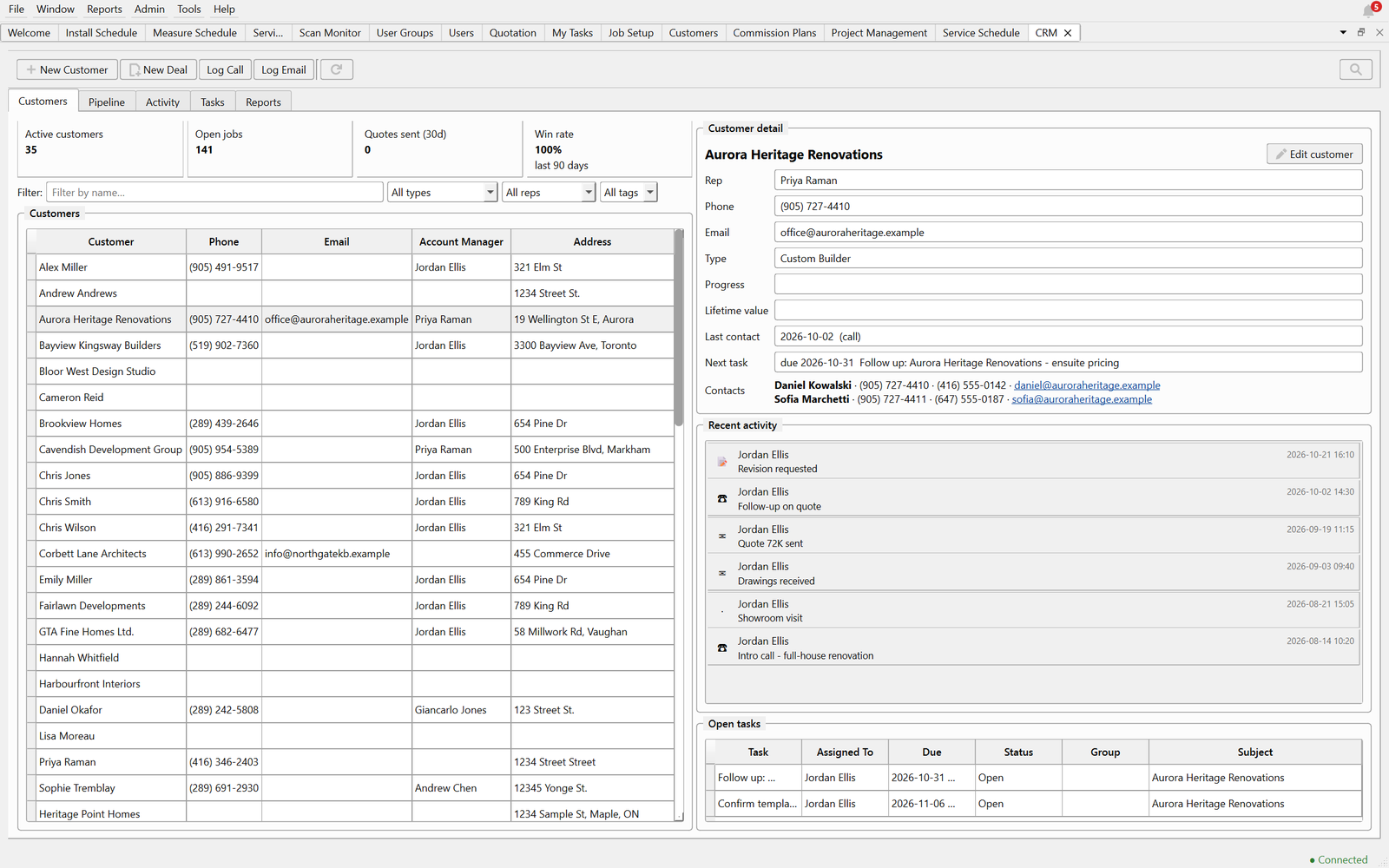
Track builders, designers and homeowners with their contacts, calls and follow-ups. Watch deals move from first call to installed, with quotes linked to every opportunity.
Parent customers with multiple contacts
Activity log, tasks and follow-ups
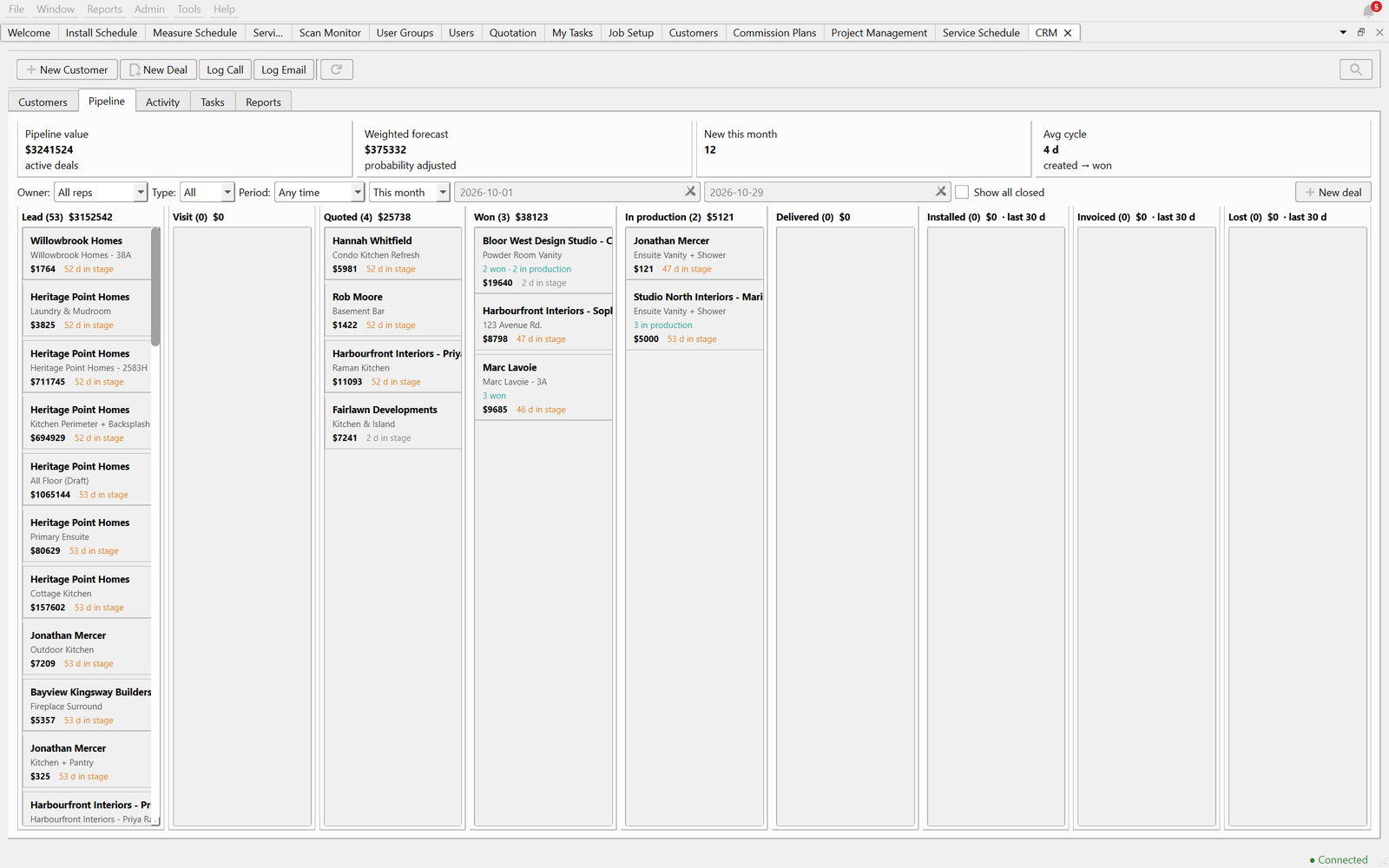
Deal pipeline with a weighted forecast
Quotes linked to every deal
Watch every deal move
From first call to quoted, won, in production and installed — with a weighted forecast of what’s coming, and every deal linked to its quotes.
Projects & automation
Jobs that come in stages, kept together
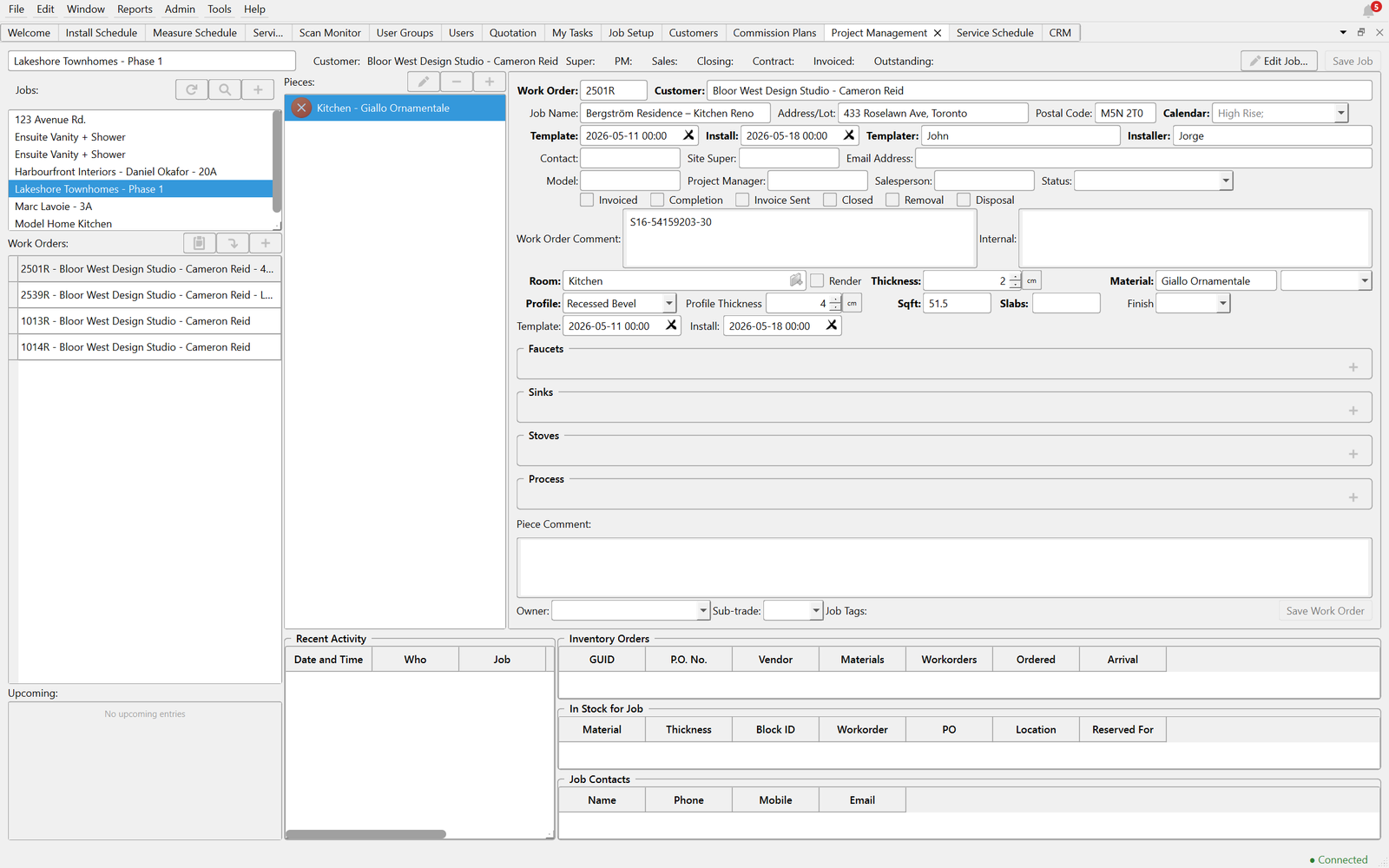
A renovation rarely happens all at once: the kitchen this month, the ensuite next, a fireplace in the spring. Project management keeps every workorder for that customer in one place, with the status of each stage at a glance.
It works just as well for a builder’s phases or a multi-unit project.
Task flows: your process, automated
Steps, waits and branches, laid out visually. When a job is measured, it goes into production. When CAD is finished, the inventory gets pulled. The right person gets the next task, automatically.
Inventory
Every slab accounted for
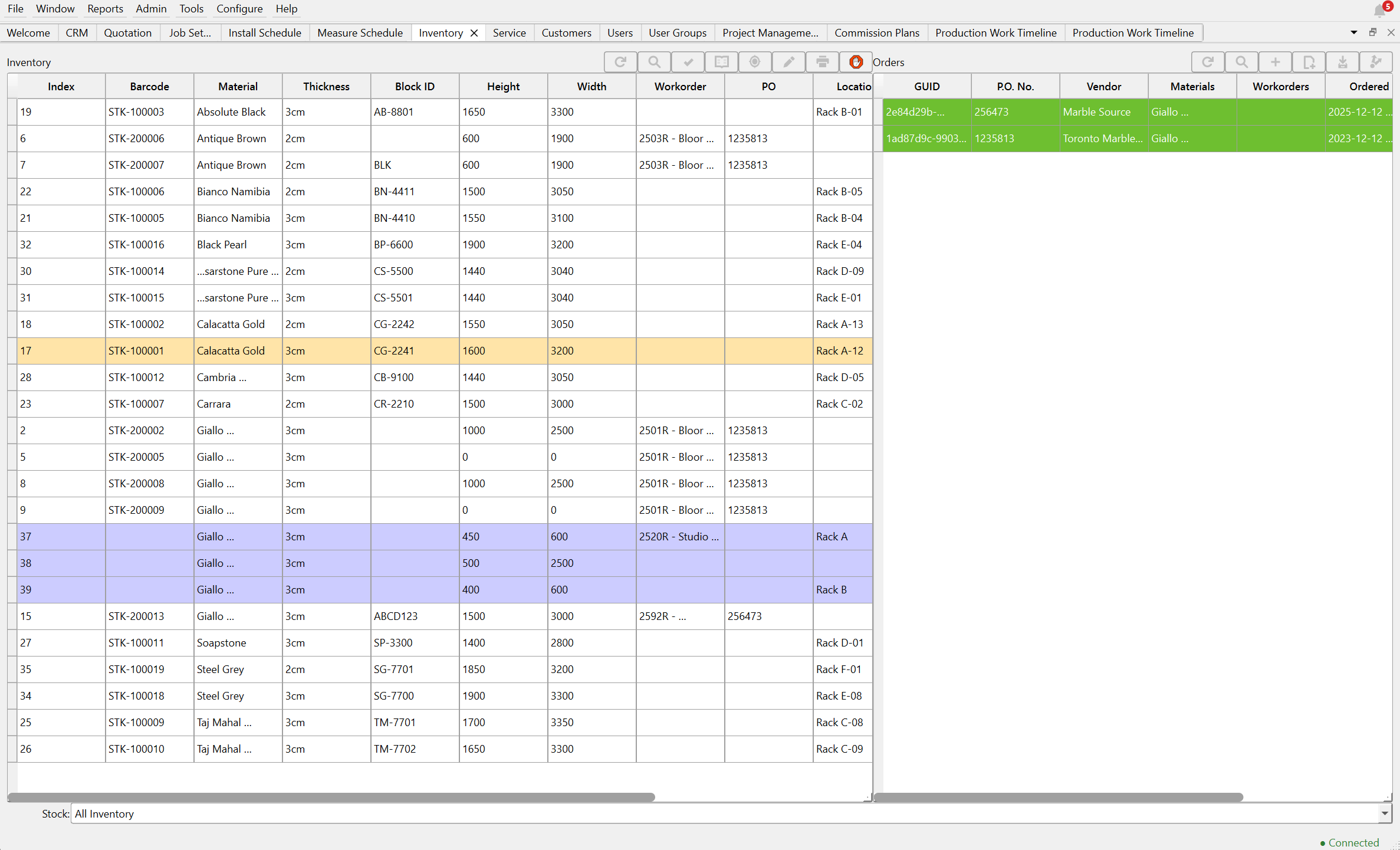
Each slab is its own barcoded item with a cost and a sale price. Reserve slabs for a job, print labels, and consume them at cut time, so your costing reflects what actually happened on the floor.
Per-slab inventory with barcodes
Reserve slabs for specific jobs
Purchase orders with partial receiving
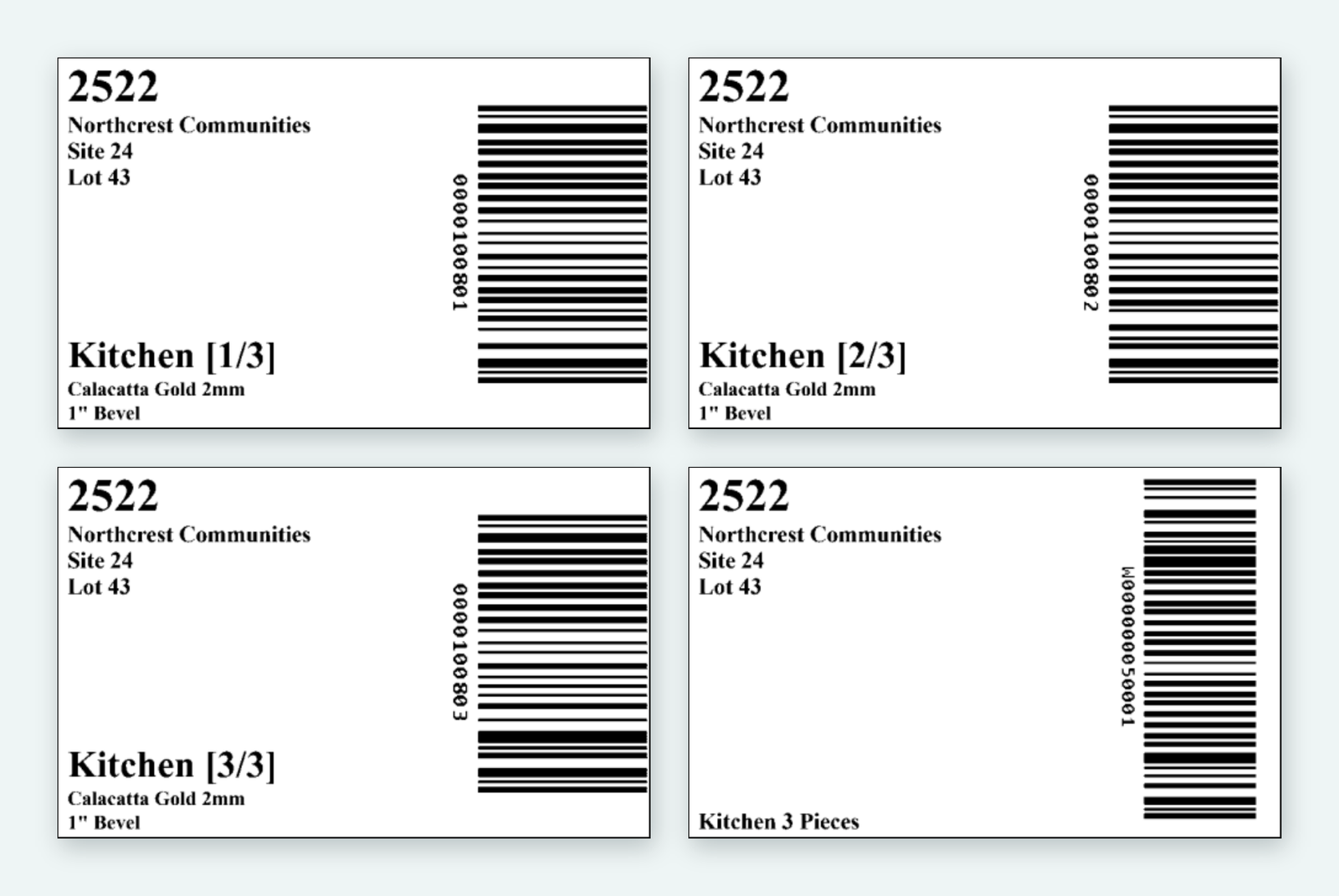
Slab labels printed straight from the system
Job scanning
Every piece tracked, station by station
Every piece gets a barcode. At each station, staff scan their card and then the piece, and the job’s status and labour cost update on the spot. No app to open and no taps before the scan — so it actually gets used.
Low-cost, durable kiosks at each station
Scan a user card, then the piece — that's it
Job status and labour costing update with every scan
Watch work in progress live on the Scan Monitor
Worked-versus-charged reports by person and job
Reports
Know what's coming before it's a problem
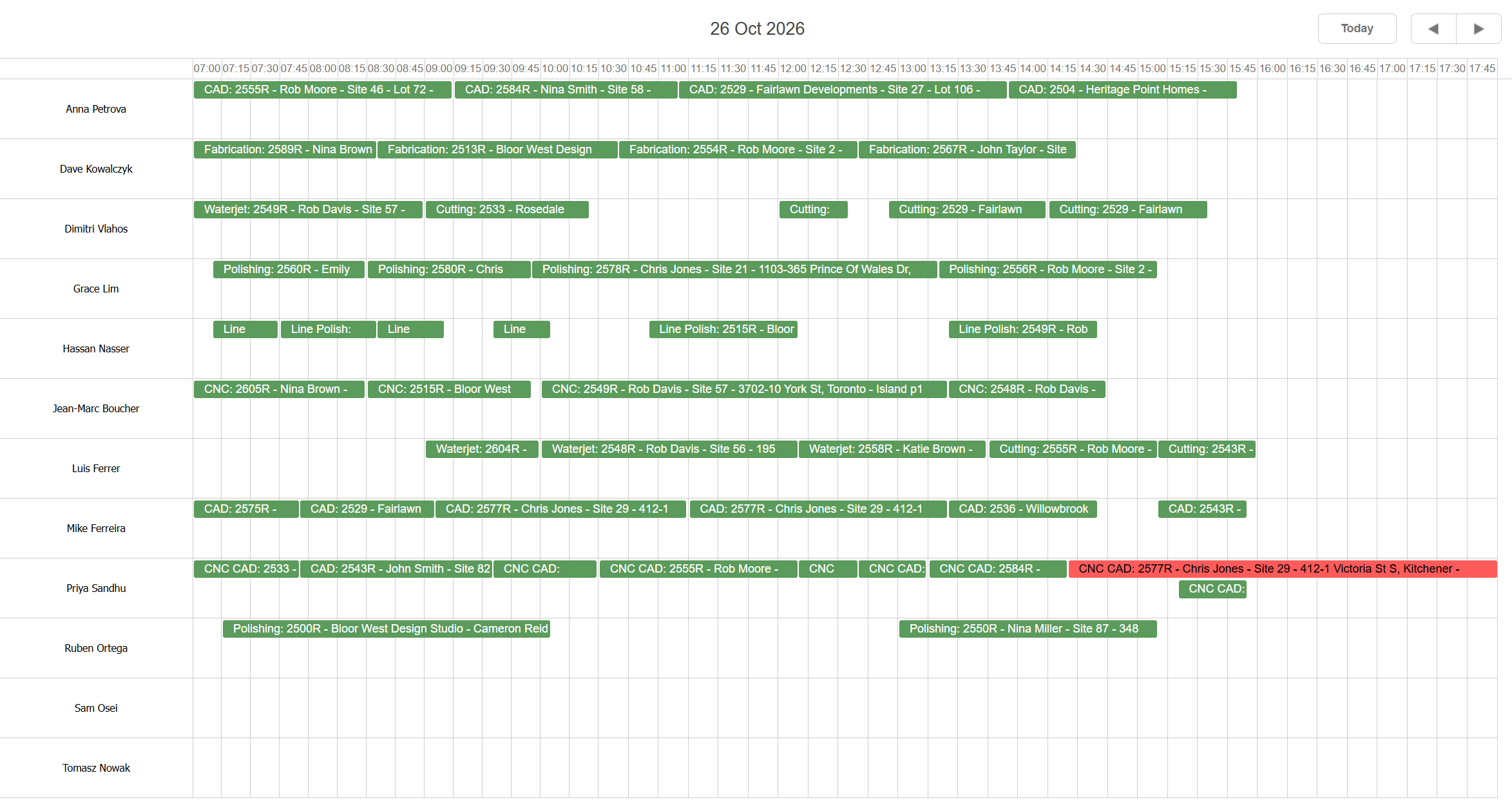
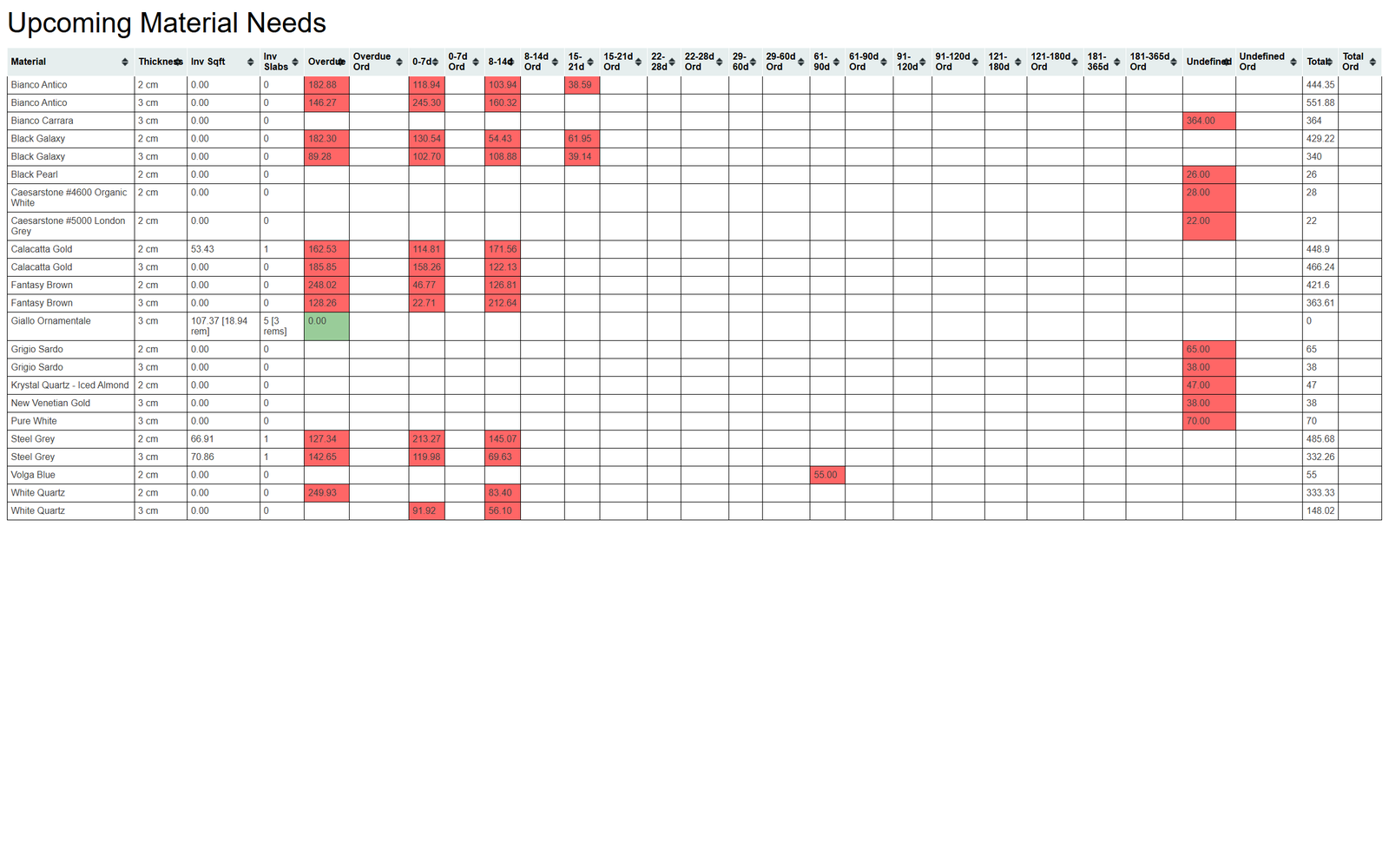
Production stats for tracking the work getting done, material needs by week, worked-versus-charged time by person — plus commission plans and statements for your sales team, and a report designer for anything else you want to see.
Production stats
Upcoming material needs
Fits the way you already work
Desktop, browser and mobile
Native apps for Windows and macOS, a web client for working from anywhere, and iOS and Android apps available now in early access.
Cloud or on-premises
Host it with us, or run it on your own server — because a shop can’t stop working when the internet does.
Every job file, in one place
Drawings, photos, PDFs and paperwork stay attached to the customer, quote or workorder they belong to — and open from the office, the floor or a browser.
Canadian-owned and built · Billed in CAD · Sign in with Google or Microsoft
Configurable
Configured to your shop, not the other way around
Fields, statuses, menus and business logic adapt to how you already work, so the software fits the shop instead of the shop bending to the software. Even the look is yours: light, dark, or your own colours.
Countertop fabrication is where Scheduler++ is proven today. The platform underneath is built to go further.
On the roadmap
Mobile apps in the stores
Our iOS and Android apps are available in early access today. Public App Store and Google Play releases are next.
AI-assisted takeoffs
Read architectural PDF sets and turn them into draft quotes, for you to check and send.
QuickBooks Online
Push customers, estimates, invoices and purchase orders to QuickBooks, and see when invoices get paid. Coming soon.
See it on your own jobs.
The fastest way to understand Scheduler++ is to watch it quote and schedule real work. Book a walkthrough and we’ll show you.